
Installation paths for dunia gacor
We provide three main ways to access dunia gacor on mobile devices. Choose the option that works for your device and your preferences. All three paths connect to the same account, so you can switch between them whenever you want.
Android app (APK)
Download our native app from our website or scan the QR code on this page. The app includes offline caching, push notifications for live updates, and faster performance than the browser.
Download APKiOS / Safari browser
Open Safari on your iPhone or iPad and navigate to duniagacor.bet. Add dunia gacor to your home screen for quick access. Our mobile website is fully responsive and works as smoothly as a native app.
Open in SafariStep-by-step installation guide
Follow these steps to install and start using dunia gacor on your mobile device:
-
1
Download the dunia gacor APK or open SafariStep 1
For Android, download the APK file from our website or the direct link above. For iOS, open Safari and go to duniagacor.bet. Both methods take less than one minute.
-
2
Install the app (Android) or bookmark the site (iOS)Step 2
For Android, open your file manager, find the APK file, and tap it to install. For iOS, tap the share button and select "Add to Home Screen" to pin dunia gacor to your home screen.
-
3
Register or log in to your dunia gacor accountStep 3
New users can register directly in the app or on the mobile site. Existing users simply enter their username and password. Two-factor authentication (2FA) adds an extra security layer.
-
4
Start playing live games, slots, and sportsbook marketsStep 4
Your account is now active. Explore live football markets, live-dealer tables with real dealers, and slot games. Make your first deposit using DANA, e-wallet, mobile banking, or another supported payment method.
Native app versus mobile browser
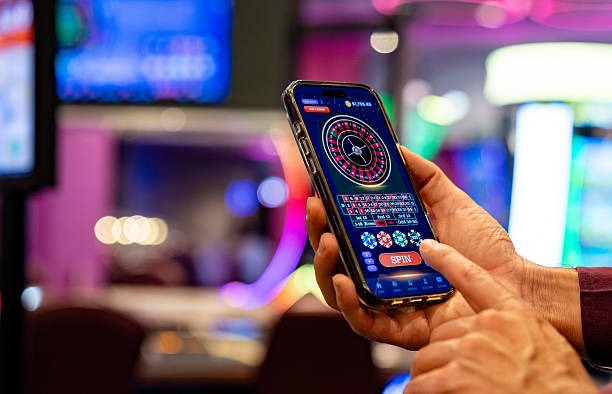
Our dunia gacor Android app and mobile web experience each offer distinct advantages. The native app includes offline caching, which means you can view game history and account settings even without an internet connection (though wagering requires connectivity). The app sends push notifications when your favorite football matches are about to start or when you win on a live-dealer table. App-based transactions also process slightly faster than browser-based ones because the app connects directly to our servers without routing through your browser's rendering engine. However, the mobile browser version requires no download, works on any device with a web browser, and updates automatically without requiring you to reinstall. Both use the same account credentials, so you can switch between them freely. If you use Bandung, Jakarta, or Surabaya as your primary access location, both methods maintain your account security and location tracking equally.
Device compatibility
Our dunia gacor app supports Android 7.0 and later on phones and tablets. For iOS devices, Safari and the web app work on iOS 12 and above. Most modern phones released in the last five years meet these requirements. If you have an older device or encounter compatibility issues, the mobile browser version of dunia gacor will work on any device that can open Safari, Chrome, Firefox, or another modern browser.
Troubleshooting common installation issues
If you cannot download or install dunia gacor, check the following: On Android, if you see a warning about "unknown sources," go to Settings → Security and enable "Unknown Sources" to allow APK installation. Your phone's storage must have at least 50 MB free space. Some networks or corporate WiFi may block APK downloads; try using mobile data instead. On iOS, if Safari does not let you add dunia gacor to your home screen, ensure you are on iOS 12 or later and are using Safari (not Chrome). Clear your browser cache if the site loads slowly or displays outdated information. If you still cannot access dunia gacor after troubleshooting, contact our support team via live chat or email for assistance.
Data permissions and account security on mobile
The dunia gacor app requests permission to access your device's internet connection, which is necessary for all gaming and payment functions. The app does not request access to your camera, microphone, contacts, or photos unless you use features like video chat with our support team. We encrypt all data transmitted between your mobile device and our servers using SSL technology. Your password is never stored on your device; you must enter it each time you log in or enable biometric login (fingerprint or face recognition) through your device's security settings. We recommend enabling two-factor authentication (2FA) in your dunia gacor account settings. When you access dunia gacor from different cities like Medan or Semarang, our system may flag unusual login locations and ask you to verify your identity. This is a security feature to protect your account from unauthorized access. Always log out of dunia gacor after your session, especially on shared devices.